SYNBAI Nexus / Windows desktop
Your next strategy.
A clearer process.
Bring historical market data into a workspace for strategy generation, validation and source export.
Windows 10/11, 64-bit · 15-day trial · No card required
SYNBAI NEXUS / WINDOWS DESKTOP
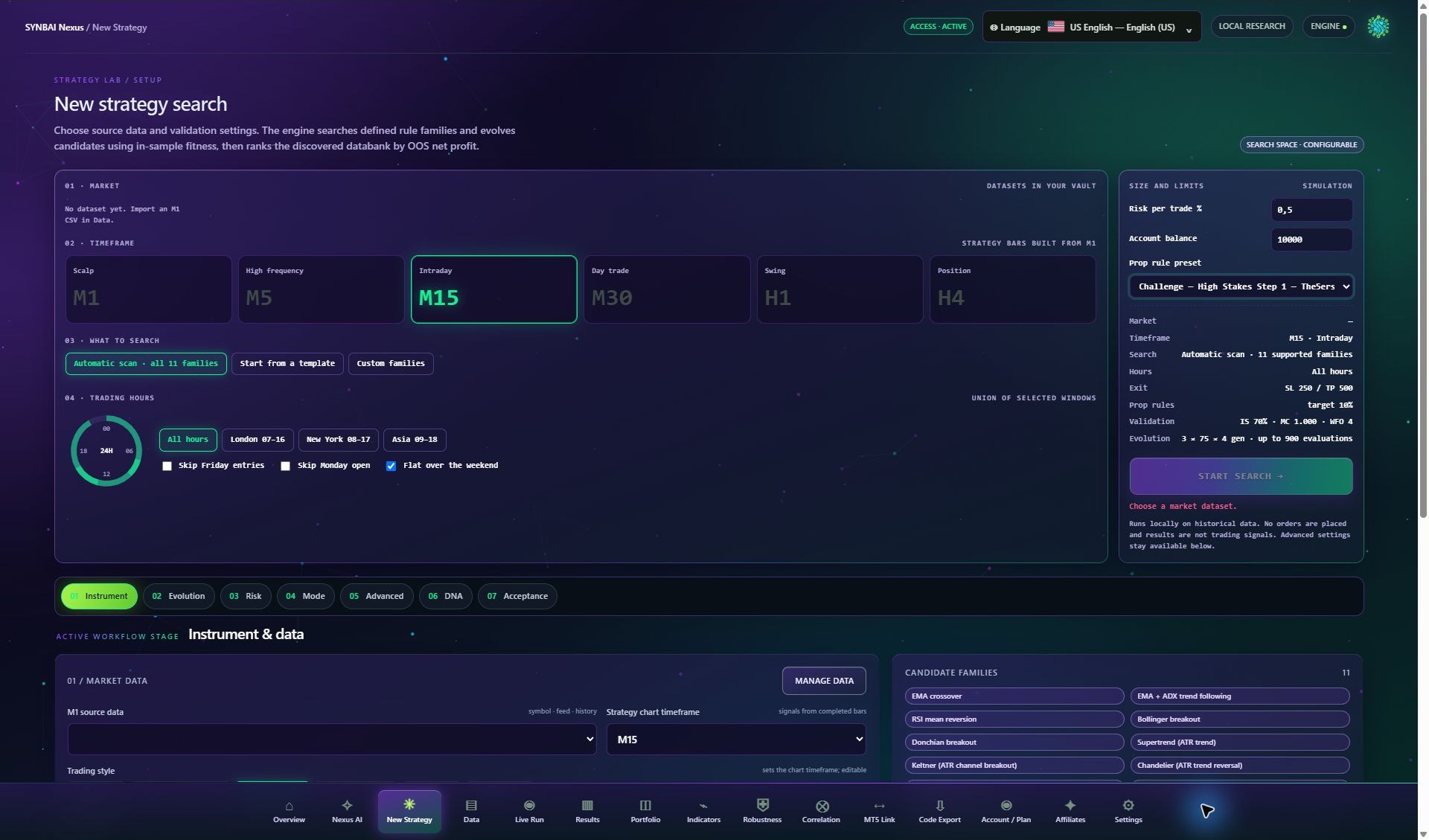 SYNBAI Nexus strategy research workspaceACTUAL APPLICATION
Choose your installation channel
One research workspace.
Two ways to install.
Available nowWindows installer
Download directly from the official SYNBAI website.
Signed Windows 64-bit installer. You can create your trial account separately.
- Platform
- Windows 10 / 11
- Architecture
- 64-bit
- Version
- 0.2.0
- Release date
- Nov 20, 2026
- Download size
- 36.8 MB
>The installer and release details appear here when the package is published.
Listing pendingMicrosoft Store
Install through the official Microsoft Store product listing.
Store link coming soon
The Store button will be enabled when the public product listing is available.
Availability is shown separately for each installation channel. Choose the option that is available to you.
Before installation
What you need.
- Windows 10 or Windows 11, 64-bit.
- A verified SYNBAI account to activate the research trial.
- Historical market CSV data for your research.
- Internet access for account activation and online services.
- A separately installed Ollama model if you want local AI assistance.
Getting started
- 01 / Install the application
- Use the available official installer or Microsoft Store listing.
- 02 / Sign in to your account
- The 15-day trial begins after account verification. No payment card is required.
- 03 / Import and inspect your data
- Review symbol, timestamps, coverage, spread and other cost assumptions.
- 04 / Run your first research workflow
- Generate candidates, inspect validation results and review available export options.
Need a hand?
Start with the research guide.
Historical testing does not guarantee future results. SN does not place live orders.